A well drilling website has a harder job than looking professional. It has to help a visitor decide whether your company can do the right work, in the right territory, with a credible process, and give the office a contact it can actually handle.
That is a design problem, an operations problem, and a measurement problem at the same time.
The best website design for well drilling companies starts with the jobs you want more of. Then it builds the pages, proof, calls to action, and tracking around those jobs.
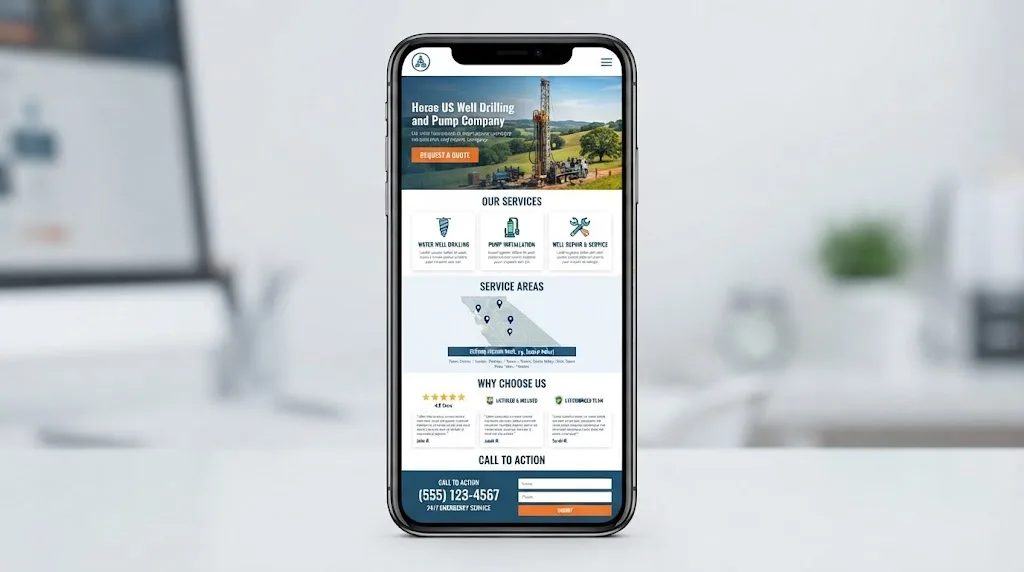
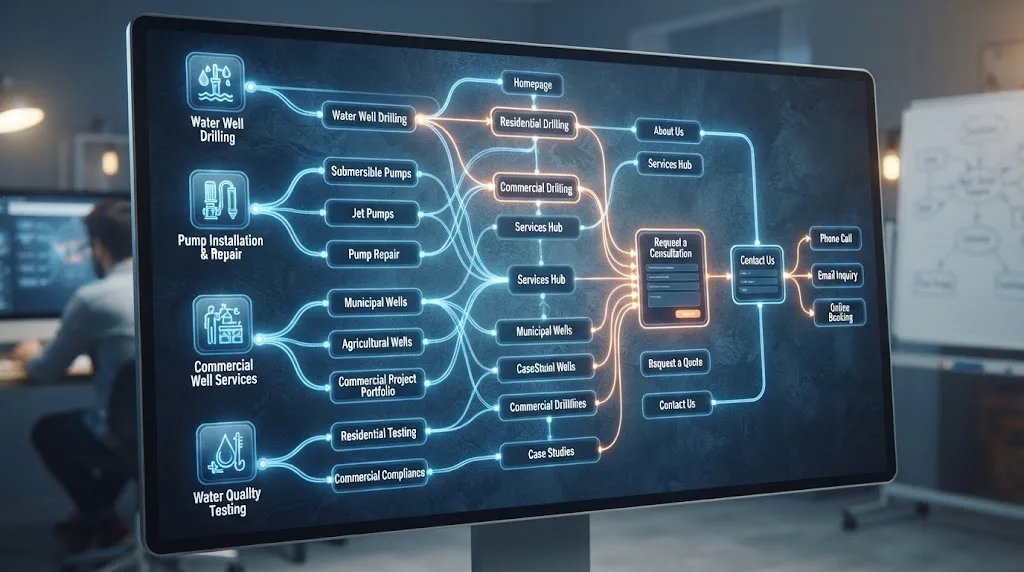
What should website design do for a well drilling company?
Website design should turn the company's real service mix and territory into a clear decision path for qualified buyers. It should show what the company does, where it works, why its claims are credible, what the next step is, and how the inquiry will be handled.
That sounds simple until you look at how groundwater companies actually operate. One company may drill new residential wells, install pumps, repair pressure systems, test yield, rehabilitate old wells, and serve builders or farms. Another may only do pump repair within a tight response radius. A generic home-services template treats those as the same offer. They are not.
Google's SEO Starter Guide describes SEO as helping search engines understand content and helping users decide whether to visit a site. That is a useful design standard for a contractor because it joins discovery and decision-making instead of treating them as separate projects. Google's SEO Starter Guide also makes clear that there are no automatic secrets that put a site first.
Design therefore starts with a business choice:
Which services, job types, and territories can we serve profitably and credibly over the next 6 to 12 months?
Your site should not promise every groundwater service because a competitor lists it. It should not publish every town within a two-hour drive because a keyword tool shows search volume. It should make the work you want easier to understand and easier to request.
A well drilling website is a sales and qualification system with a visual layer, not a digital brochure.
The design brief should connect five parts:
- Demand: the services and territories you want to grow.
- Proof: the evidence you can publish and keep current.
- Discovery: the pages and links that let people and search systems find that evidence.
- Contact: the phone, form, email, and quote paths the office can handle.
- Revenue: the fields that show whether an inquiry became an estimate and booked job.
If the designer can show you colors, animations, and a home page mockup but cannot explain these five parts, the proposal is incomplete.
What does a well drilling website need to prove?
A well company website needs to prove fit before it asks for contact information. Fit includes the service, geography, project type, qualifications, operating capacity, and next step that apply to the visitor's situation.
The National Ground Water Association's public handout on hiring a water well contractor gives a useful list of buyer questions. It points to licensing where applicable, certification, well logs, equipment, insurance, safety-code familiarity, reputation, written contracts, and itemized costs. National Ground Water Association: How to Hire a Water Well Contractor
Your website does not need to publish a legal file cabinet. It does need to make the relevant proof easy to locate and easy to verify. A practical proof set might include:
| Proof category | What to publish | What not to do |
|---|---|---|
| Identity | Legal or trading name used consistently, phone, real operating location or service-area wording | Use a made-up local address or a different name on every page |
| Service capability | Exact drilling, pump, testing, rehabilitation, or water-system services actually offered | Copy a competitor's service list |
| Licensing and certification | Current state license details where applicable, relevant certification, and issuer or verification path | Claim "licensed everywhere" or use an expired badge |
| Equipment | Rig, pump, testing, or diagnostic equipment that the company actually uses | List brands or capacities the crew does not support |
| Process | What happens from inquiry to site visit, estimate, work, documentation, and follow-up | Promise an exact result before site conditions are known |
| Project evidence | Real photos, project type, location at a safe level of detail, work performed, and date when useful | Use stock photos as if they show your crew |
| Reputation | Reviews or testimonials with permission and accurate attribution | Add anonymous praise with no source |
| Scope boundaries | Jobs, areas, conditions, or times the company does not cover | Hide limitations until after the call |
The point is not to overwhelm the page with credentials. The point is to match proof to the decision being made.
A new residential well page may need an explanation of the drilling process, local experience, equipment, licensing, well records, and how estimates handle uncertain conditions. A pump repair page may need the response area, hours, diagnostic scope, brands or systems served, and the information the dispatcher wants before sending a technician. A commercial page may need project type, coordination capability, documentation, and who should contact the company.
The page should say what you know. It should also say what depends on site conditions, state rules, water availability, or an inspection.
NGWA's licensing guidance is a reminder that requirements vary by state. It distinguishes categories such as water well drilling, water well pump installation, and well servicing and maintenance, and tells readers to contact their state representative for details. NGWA: Contractor State Licensing and Exams
That variation matters to design. Do not give a copywriter a blank instruction to "make us sound licensed." Give the team a source file with the current license name, number, issuing body, coverage, expiration or renewal process, and the state where the claim applies.
Which website structure fits your service mix?
The right structure is the smallest one that gives each important service and buyer decision a clear home. A company with one service and a small territory may need six strong pages. A company serving residential, agricultural, commercial, and pump customers may need a deeper structure.
Use this starting matrix. It is a planning framework, not a requirement to publish every row.
| Business priority | Primary page | Supporting page or section | Main next action |
|---|---|---|---|
| New residential water well drilling | Dedicated drilling page | Process, proof, FAQs, service area | Request a site discussion or estimate |
| Commercial or agricultural drilling | Dedicated commercial or agricultural page | Project types, coordination, documentation | Start a project conversation |
| Pump repair or no-water service | Dedicated repair page | Service limits, hours, systems served, intake questions | Call or request service |
| Pump installation or replacement | Dedicated installation page | Equipment fit, process, warranties only if real | Request an assessment |
| Pressure tank or control work | Dedicated page when material to revenue | Symptoms, systems, related pump work | Call or request an appointment |
| Well inspection or yield testing | Dedicated page if actually offered | Reports, process, scheduling | Request testing or inspection |
| Well rehabilitation | Dedicated page if specialized and available | Conditions, process, evidence | Request a review of the well |
| Water testing or treatment | Separate page only when offered and qualified | State-specific scope, lab or treatment partners | Discuss testing or treatment |
| Well abandonment or decommissioning | Separate page where offered | State rules, documentation, scope limits | Request a project discussion |
| Service area | Honest territory page | County, town, or region details where useful | Check fit and contact |
The navigation can stay simple even when the content is specific. A top-level menu might contain Services, Service Area, Projects or Proof, About, and Contact. The individual service pages do the detailed work.
Do not hide every service under one generic page titled Services. A visitor looking for pump replacement should not have to infer that it is included from a paragraph about drilling. A search system should not have to guess whether a bullet list represents a real offered service.
The right website page is the smallest useful unit that matches one service decision.
Google Search Essentials recommends using words people use to look for your content in prominent locations, and making links crawlable so Google can find other pages. Google Search Essentials That supports clear page names and ordinary HTML links. It does not mean repeating "well drilling" in every sentence.
The Well Contractor Website Job Card
Before a designer sketches a page, create one job card for each priority service. This is the original Brictale framework for turning field operations into a web brief.
| Job Card field | Owner's answer |
|---|---|
| Job name | What do you call the service in the office and on the phone? |
| Buyer or referrer | Who usually initiates the request: property owner, builder, farm operator, facility manager, another contractor, or public agency? |
| Territory | Where do you actually quote or dispatch this work? |
| Fit | What conditions make a lead worth taking? |
| Exclusions | What do you not do, or what do you refer to someone else? |
| Proof | Which license, certification, equipment, photos, records, reviews, or project details can be verified? |
| Process | What happens after the first call or form? |
| Qualification fields | What information helps the office decide the next step? |
| Primary CTA | Call, request an estimate, schedule an assessment, or start a project discussion? |
| Revenue event | What counts as a qualified inquiry, estimate, and booked job? |
| Owner | Who checks the page when the service, territory, or intake rule changes? |
If you cannot complete the card, the page is not ready to design. The missing answer may be an operations decision, not a copywriting problem.
Should drilling, pump repair, and pump replacement have separate pages?
Usually, yes. Separate pages are appropriate when the service has a different buyer question, urgency, proof set, territory rule, or contact workflow. Combining everything is appropriate only when the business is genuinely narrow and the combined page can remain specific.
New well drilling and pump repair are the clearest example. New drilling is usually planned and requires a longer trust and scope conversation. Pump repair may be urgent and may require a faster call path, service boundary, and diagnostic intake. A single page that tries to handle both often gives neither enough detail.
Use the following test before splitting a page:
- Does the service have a different phrase a buyer would use?
- Does the service have a different crew, equipment, license, or qualification?
- Does it have a different response time or scheduling rule?
- Does it need different proof?
- Does the next step differ?
- Does the company have enough real information to make a useful page?
If the answer is yes to several questions, a dedicated page is usually justified. If the answer is no to all of them, a separate page may be a thin keyword variant.
Each service page should open with a direct answer, not a slogan. A strong opening names the service, the operating area, the customer or project fit, and the next action.
For example, the structure could be:
- What the company does and where it does it.
- Who the service is for.
- What the process includes.
- What information affects scope or scheduling.
- What proof is available.
- What the company does not claim or cover.
- How to call or request the next step.
The copy should be specific without making technical promises that depend on a site visit. Phrases such as "we guarantee water at any depth" or "we solve every low-yield well" create risk and invite the wrong call. A better page explains the work performed, the information reviewed, and how the company evaluates the job.
How should a service-area well company design territory pages?
A service-area company should explain where it works, how service availability changes by job type, and what the visitor should do next. It should not pretend to have an office in every town.
This is one of the most important design decisions for a drilling or pump business because different services often have different travel economics. A company may drill across several counties but limit emergency pump response to a smaller radius. A company may accept commercial work farther away when the project value and schedule justify mobilization. The site should show those distinctions.
Build a territory rule for each Job Card:
| Territory question | Example of a useful answer format |
|---|---|
| Core operating area | Counties, regions, or named communities the company routinely serves |
| Extended area | Places considered after a phone discussion or project review |
| Service-specific area | A tighter area for emergency or repair work, if applicable |
| Travel boundary | A plain explanation of when distance affects scheduling or quote review |
| Local proof | Real projects, crew photos, geology or permitting familiarity, or reviews that can be attributed honestly |
| Contact instruction | The information to send or mention so the office can check fit |
For a broad region, one useful service-area page may be enough. Add local subpages only when each one can answer a real local question with useful information, not because a town name can be swapped into a template.
An honest page might say that the company serves a named group of counties for new drilling, with pump repair availability confirmed by phone. That is better than a grid of thin city pages that imply a local branch the company does not have.
A truthful service area beats a larger map that creates calls your crew cannot take.
The same rule applies to structured data and business identity. Google says LocalBusiness structured data can communicate information about a business, including hours and other details, but the data must describe the real business. Google: LocalBusiness structured data Do not add a street address, department, or service area that the company cannot substantiate.

What should the homepage say above the fold?
The first screen should answer four questions before asking the visitor to explore: what do you do, where do you do it, who is it for, and what should they do next?
The hero section is not a place to say "quality you can trust" without context. It is the first routing decision.
A practical homepage message has these pieces:
- Specific service statement: Water well drilling, pump installation, pump repair, or the services the company actually wants to grow.
- Territory statement: The real region, county group, or service-area wording.
- Proof cue: Years in business only if true, license or certification where relevant, real equipment, project experience, or a review theme.
- Primary action: A phone button, quote request, project discussion, or service request that matches the main job type.
- Secondary path: A quieter route for another important service, such as a planned drilling inquiry beside an urgent pump call.
The designer should test the hero on a phone with the browser address bar visible. If the service, area, and primary action disappear below a large image, the page is asking the visitor to work too hard.
Use a real image when it adds proof. A rig, crew, completed wellhead, pump room, testing equipment, or jobsite can tell a more credible story than a generic water droplet. Do not use a stock image that suggests equipment or work the company does not own or perform.
The call to action should use the language the office can fulfill. "Get started" is weaker than "Call for pump repair service" or "Request a drilling project discussion" when those are the actual next steps. Keep the button readable and repeat it after the first useful proof section, not on every line.
How should planned and urgent jobs share one website?
Use separate paths that share the same brand and navigation. Do not force an urgent pump visitor through the long explanation built for a planned drilling project, and do not reduce a major drilling decision to an emergency-style button.
The homepage can route the two modes:
| Visitor mode | What the page should answer first | Contact design |
|---|---|---|
| Planned drilling | Service type, territory, process, site or project discussion, evidence | Quote or project-discussion form with enough context to qualify |
| Pump repair or no-water request | Service area, hours, systems served, what happens after calling | Prominent phone path and a short service request option |
| Commercial or agricultural project | Project type, scale, coordination, documentation, and fit | Project form with project location and decision timeline |
| Inspection, testing, or rehabilitation | Scope, report or assessment process, availability, and limits | Assessment or testing request with service-specific fields |
The route should change the form, not only the headline. A drilling form might ask project location, property or facility type, desired timing, and whether plans or records are available. A pump-repair form might ask the service area, symptom, system type if known, and the best callback number. Avoid making every field mandatory. The office needs enough information to make the next decision, not a full engineering report before a call.
If you answer urgent calls only during defined hours, say so. If after-hours requests go to voicemail, give the correct expectation. A design that generates calls the office cannot answer is not a conversion win.
Which proof should appear on a service page?
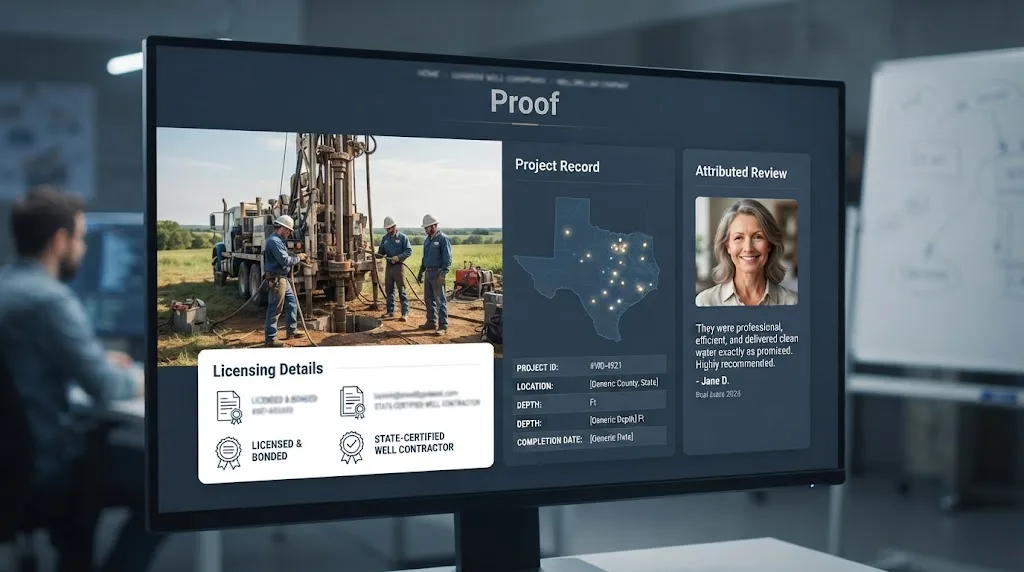
Proof should appear beside the claim it supports. A general testimonial at the bottom of a page is weaker than a relevant project photo and process explanation next to the service decision.
Use a proof ladder:
- Identity proof: name, phone, location or service-area language, and consistent contact information.
- Capability proof: services, equipment, license or certification details where applicable, and the types of systems or projects served.
- Process proof: what the company does before, during, and after the work.
- Project proof: real photographs, job type, scope, and date or region when it can be shared safely.
- Customer proof: attributed reviews or testimonials with the original context preserved.
- Document proof: well logs, reports, contracts, or project records only when the owner has permission and the material does not expose private information.
The proof ladder is a recommendation. It is not a ranking factor list. Its purpose is to prevent the common design error of putting every credential in an About page while the service pages make unsupported claims.
For every image, ask four questions:
- Is this a real company image or clearly labeled illustration?
- Does it show the service or equipment being described?
- Does the company have permission to publish it?
- Does the alternative text describe the useful content rather than stuff a keyword into the file?
The same discipline applies to customer reviews. Keep the wording accurate. Do not rewrite a review to make it sound more technical. Do not publish a review for one service on a different service page if the context would mislead the visitor.
If the company is new or has limited public proof, say what is available and strengthen the process explanation. A smaller evidence set is better than invented authority.
The EPA's drinking-water guidance makes the content boundary especially important. EPA says about 10 percent of people in the United States rely on private wells and that private wells are not regulated under the Safe Drinking Water Act. US EPA: Basic Information about Your Drinking Water A contractor's page should therefore avoid implying that a federal agency has approved the company's service or that one national rule covers every state. Point readers to the appropriate state or local requirements when the issue is regulatory.
What should the website designer include in the technical brief?
The technical brief should make the finished website easy to use, crawl, secure, update, and measure. It should name acceptance tests, not only platform preferences.
Google Search Essentials lists technical requirements and key practices such as people-first content, descriptive words in prominent locations, crawlable links, and relevant image, structured-data, and JavaScript practices. Google Search Essentials
Put these requirements in the proposal:
| Area | Acceptance requirement | How to check it |
|---|---|---|
| Secure delivery | All public pages and form submissions use HTTPS with no mixed-content warnings | Load pages in a browser, inspect the certificate, submit a test form |
| Mobile layout | Text, menus, buttons, images, and forms work at common phone widths | Test on real phones and a responsive browser view |
| Crawlability | Important pages are reachable through ordinary links and are not blocked by noindex, login, or accidental robots rules | Crawl the site and use URL Inspection where available |
| Titles and headings | Each important page has a specific title, one clear primary heading, and descriptive subheadings | Inspect rendered pages and source |
| Images | Images are compressed, relevant, permitted, and have useful alternative text where needed | Check file sizes, visual quality, and alt text |
| Forms | Form labels, error messages, confirmation, routing, and notifications work | Submit valid, invalid, and duplicate test entries |
| Phone paths | Tap-to-call links work on mobile and route to the intended line | Test with a phone and office staff |
| Redirects | Old high-value URLs map to the correct new pages | Test a list of old URLs before launch |
| Analytics | Key events are recorded without double-counting | Run test calls, forms, and thank-you events |
| Ownership | The contractor controls or can export the domain, content, images, analytics, and business data | Put ownership in writing before launch |
Do not accept "SEO-ready" as a deliverable. Ask what that means in the scope. It should resolve into specific pages, links, metadata, crawl rules, performance checks, forms, tracking, and ownership.
What does answer-engine readiness require?
Answer-engine readiness requires a page to be crawlable, indexable, clear, useful, and supported by evidence. It does not require a separate AI website, a special phrase repeated in every paragraph, or a guarantee that an engine will cite the company.
Google's current AI-features guidance says the foundational SEO practices remain relevant and that there are no additional technical requirements for AI Overviews or AI Mode. It also says a page must be indexed and eligible to appear with a snippet to be eligible as a supporting link. Google: AI features and your website
"There are no additional requirements to appear in AI Overviews or AI Mode, nor other special optimizations necessary." - Google Search Central
That quote is helpful for an owner evaluating a proposal. It does not mean every site is equally understandable. A designer and writer can still make the page easier to retrieve by:
- stating the service and territory in plain language;
- giving each important service its own clear page when the intent differs;
- opening sections with sentences that make sense outside the page's full context;
- using descriptive internal links;
- publishing accurate proof and source links;
- keeping service names consistent across the website and business listings; and
- removing content that is vague, duplicated, hidden in scripts, or contradicted by the visible site.
This is where the website design page and the broader well drilling SEO system connect. The design page creates the structure and contact path. SEO work can then improve discovery, coverage, and measurement inside that structure.
Do not promise ChatGPT, Google's AI features, or any other engine will mention the company. A sensible brief asks whether important pages can be reached and understood. It then measures visibility and citations as observations, not guaranteed deliverables. Brictale's guide to how to get your brand mentioned in ChatGPT covers that measurement problem separately.
How should performance and mobile use be handled?
Performance should be treated as a user and operations requirement, not a contest to achieve a perfect tool score. A mobile visitor should be able to understand the service and reach the office while images, menus, and forms remain usable.
Google's page-experience documentation tells site owners to check Core Web Vitals, secure delivery, mobile display, intrusive interstitials, and whether the main content is easy to distinguish. It also says Core Web Vitals alone do not guarantee top search rankings. Understanding page experience in Google Search results
Put the following in the design test:
- Load the homepage, priority service pages, service-area page, and contact page on a normal mobile connection.
- Confirm that the first useful text appears before a large gallery or video blocks the page.
- Tap the phone link, menu, form fields, calendar if used, and any map or directions control.
- Scroll through the page while images load. Make sure buttons and text do not jump under a finger.
- Test the contact path when the device has a weak connection or JavaScript is delayed.
- Check that cookies, popups, chat widgets, and banners do not cover the phone or submit button.
- Run PageSpeed Insights or an equivalent diagnostic, then fix the largest practical problems rather than chasing a 100 score.
Common causes of poor contractor-site performance include oversized rig photographs, autoplay video, multiple chat and scheduling scripts, uncompressed gallery uploads, decorative fonts, and page-builder sections that load code no visitor needs. The solution is usually simpler than the original design. Resize images, delay nonessential scripts, remove unused widgets, and make the primary contact path reliable.
A fast page that hides the service or breaks the phone path is still a bad contractor website.
Performance is not a substitute for message clarity. The order is simple: make the page useful, make it usable, then remove the technical friction that prevents that usefulness from arriving.

What accessibility checks belong in the website brief?
Accessibility checks belong in every website brief because readable text, usable controls, clear labels, keyboard access, and understandable errors help more people complete the same business task. They also reduce friction for mobile users and office staff reviewing forms.
WCAG 2.2 includes criteria covering text alternatives, contrast, keyboard access, focus visibility, headings and labels, link purpose, input instructions, and error identification. W3C Web Content Accessibility Guidelines 2.2
Do not turn this article into a legal compliance opinion. Put practical checks in the handoff:
| Check | Pass condition |
|---|---|
| Text size and contrast | Body copy and controls remain readable against their backgrounds |
| Keyboard use | A visitor can open menus, move through forms, submit, and reach the phone or email path without a mouse |
| Focus | The active link or field is visible while tabbing |
| Headings | Headings describe the page sections and follow a sensible order |
| Labels | Every form field has a visible, understandable label or instruction |
| Errors | A failed form explains what needs fixing and does not erase the visitor's work |
| Link purpose | Links make sense from their text, not only from nearby visual context |
| Images | Informative images have meaningful alternatives; decorative images do not add noise |
| Touch targets | Buttons and controls are easy to tap without hitting a neighbor |
| Motion | Animation does not prevent reading, navigation, or safe use |
A form that says "Name, Email, Message" may technically collect an inquiry, but it gives the office little qualification context. A better accessible form labels the purpose of each field plainly: service needed, project or service location, best callback number, timing, and notes. The label should help a visitor complete the field without guessing.
Use error messages that a dispatcher can understand too. "Invalid input" is not useful. "Enter a phone number so we can call you about the service request" tells the visitor what to do.
How should LocalBusiness information and structured data be handled?
Structured data should describe the same business information a visitor can see and verify on the site. It can help search systems classify the page, but it does not replace visible content or guarantee a rich result.
Google's LocalBusiness documentation says structured data is a standardized format for providing information about a page and classifying its content. It recommends adding required properties, following guidelines, validating with the Rich Results Test, and checking how Google sees the page with URL Inspection. Google: LocalBusiness structured data
Ask the designer or developer to document:
- the business name and URL used in the site and structured data;
- real address details, if the company has a public customer-facing location;
- service-area wording when the business operates as a service-area company;
- phone numbers, hours, and departments only when they are real and maintained;
- the relationship between the organization, service pages, and contact page;
- review markup only when it meets the platform's guidelines and is visible on the page; and
- the validation result and the date of the last check.
Do not add a street address solely to make the company appear closer to a searcher. Do not create a department for every service. Do not mark up a review that visitors cannot see. Do not treat schema as a license to make claims the visible website does not support.
The owner needs access to the domain, CMS, analytics, Search Console, form system, call-tracking system if used, image library, and structured-data implementation. If an agency owns all of those accounts, the company may be paying for a website it cannot safely change or move.
How do you decide between a rebuild and a focused tune-up?
Choose a rebuild when the current site has structural, ownership, or conversion failures that a series of edits cannot fix safely. Choose a tune-up when the foundation works and the biggest issues are message, service coverage, proof, contact friction, or measurement.
Use this decision table before accepting a redesign proposal.
| Current condition | Better first move | Why |
|---|---|---|
| Domain, analytics, forms, and content ownership are unclear | Fix ownership and access | A new design does not solve an asset-control problem |
| Website is not secure, mobile usable, or reliably reachable | Technical repair or rebuild | Basic access failures affect every page and contact path |
| Priority services are absent or buried in one generic page | Add or restructure service pages | The site may need information architecture more than new colors |
| Service pages are clear but calls and forms are hard to use | Conversion tune-up | Preserve useful discovery equity while reducing friction |
| Site has strong content but is slow because of images and scripts | Performance project | A focused technical cleanup may be enough |
| Company has changed services, territory, or brand substantially | Rebuild or major restructure | The current message may no longer describe the business |
| Site produces inquiries but office misses or mishandles them | Fix intake first | More website demand would amplify the operational constraint |
| Design is dated but pages, ownership, tracking, and contact paths work | Test a staged visual refresh | Appearance alone is weak evidence for a full replacement |
| Existing URLs have useful visibility and backlinks | Protect URLs and redirect carefully | A new design can damage discovery if the migration is careless |
The owner should be suspicious of a rebuild proposal that starts with a mood board and never documents current URLs, current leads, current service pages, or current tracking. The project should begin with evidence of what needs replacing.
A five-step rebuild-versus-tune procedure
- Inventory the current site. List the homepage, service pages, territory pages, proof pages, contact routes, forms, phone numbers, analytics, and important old URLs.
- Test the contact system. Call the published numbers. Submit each form. Record who receives the inquiry, how fast it is acknowledged, and whether the source and service are captured.
- Map the priority jobs. Complete a Job Card for each service the company wants to grow. Compare those cards to the current site.
- Score the failures. Use the Acceptance Scorecard below. Separate must-fix failures from nice-to-have design preferences.
- Choose the smallest change that fixes the constraint. If the site passes structure and ownership but fails on service clarity, do not pay for a platform migration without a reason.
This process does not make a universal recommendation. It gives the owner a defensible reason for whichever option is chosen.
How should you compare website design proposals?
Compare proposals by deliverables, evidence, ownership, and acceptance tests rather than by the number of pages or the visual polish of the mockup. Two proposals with the same page count can create very different business assets.
Ask each designer to answer:
- Which services will have dedicated pages, and why?
- How will the site handle different territories for drilling, pump repair, and commercial work?
- Who supplies the copy, photos, project details, credentials, and service boundaries?
- What claims require owner approval or state-specific verification?
- How will phone, form, email, and quote events be tracked?
- What happens to current URLs, page titles, analytics, and Search Console access?
- Who owns the domain, hosting account, CMS, content, images, and tracking data?
- How will the site be tested on mobile, keyboard, form error, and slow-connection paths?
- What is the update process when a service, phone line, credential, or territory changes?
- What is explicitly outside the scope?
The final question matters. A website that does not include copy, photo preparation, redirects, tracking, or post-launch fixes may look less expensive while shifting the work back to the owner. A clear exclusion is not a problem. An unclear deliverable is.
Do not let a designer promise that a new site will rank first, produce a fixed number of leads, or appear in every AI answer. Google says meeting requirements and best practices does not guarantee that a page will be crawled, indexed, or served, and its page-experience guidance says good metrics do not guarantee top rankings. The honest proposal describes what will be built, tested, and measured.
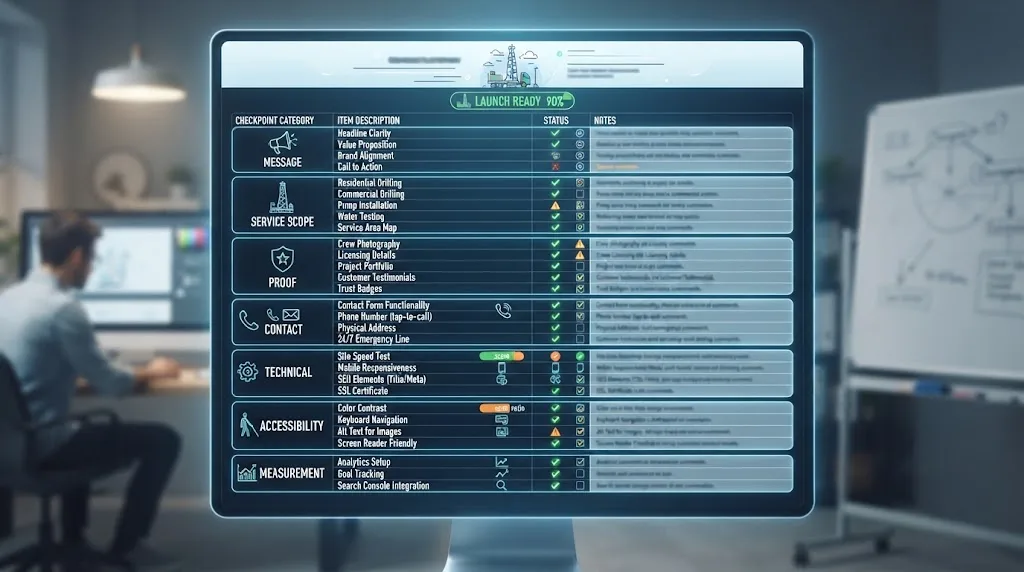
What should the Website Design Acceptance Scorecard test?
The finished site should pass a business acceptance test before it goes live. The following scorecard is a Brictale original framework. It does not claim that Google assigns these categories as a ranking formula.
| Category | Pass question | Blocker example |
|---|---|---|
| Message | Can a new visitor name the main service, territory, and next action after a quick scan? | Hero says only "quality groundwater solutions" |
| Service scope | Does each priority service have an accurate page or a clear reason it is grouped? | Pump repair is hidden in a generic service list |
| Territory | Does the page explain where the company works without implying false offices? | City pages use an address the company does not operate from |
| Proof | Can the visitor verify the important capability claims? | Stock rig photo or unverified badge is used as proof |
| Contact | Can the right visitor call or submit a useful request on a phone? | Phone link fails, form goes nowhere, or all fields are mandatory |
| Technical access | Are public pages secure, crawlable, linkable, and free of accidental noindex or login barriers? | New service pages are blocked from indexing |
| Accessibility | Can visitors read, navigate, label, and correct the site with common assistive or keyboard interactions? | Form errors are invisible or focus disappears |
| Measurement | Can the company distinguish a qualified inquiry, estimate, and booked job? | Dashboard reports traffic but no disposition or source |
Score every category as Pass, Fix before launch, or Watch after launch. A design preference such as button color can be watched. A broken phone path, incorrect territory, false credential, or missing form notification should block launch.
Run the scorecard with four people if possible:
- the owner or operator, who decides service and territory;
- someone in the office, who handles calls and forms;
- a field or technical representative, who checks service accuracy; and
- the designer or developer, who checks implementation.
The owner should not outsource all review to the person who built the site. The field team will spot an incorrect service term. The office will spot a form that creates useless requests. The owner will spot a territory or capacity promise that should not be published.
How should the website connect to booked-job measurement?
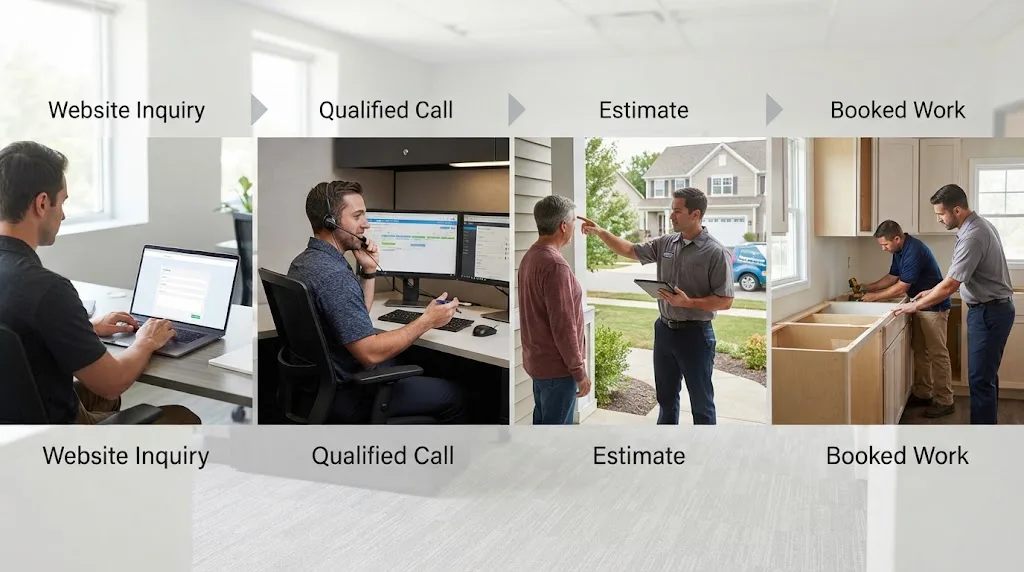
The website should report the path from inquiry to job, not stop at sessions, clicks, or form fills. A qualified call is not the same as a booked job, and a booked job is not the same as revenue until the company's own system confirms it.
Create a simple event model:
| Event | Minimum data to capture | Owner question |
|---|---|---|
| Website visit | Page, source where available, device, service or territory page | What brought the visitor here? |
| Contact attempt | Phone, form, email, or quote action | Did the visitor try to reach us? |
| Answered call or received form | Date, source, service, territory, contact status | Did the office receive it? |
| Qualified inquiry | Service fit, geography, urgency, job type, disqualifier if any | Is this work we can quote or schedule? |
| Estimate or site discussion | Date, service, estimated scope, next step | Did the inquiry advance? |
| Booked job | Job type, territory, source, booked date | Did the website help create actual work? |
| Lost or declined | Reason, such as outside area, wrong service, no capacity, price, or no response | What should the website or operations change? |
This is a recommendation, not an external statistic. The reason to use it is operational: a contractor can waste money increasing inquiries for a service it cannot staff, or mistake a high form count for good demand.
Start with a spreadsheet or existing CRM if necessary. The important part is consistent labels. If one person marks a pump replacement as "repair" and another marks it as "service," the report becomes hard to use.
At minimum, add hidden source fields to forms where the tool supports them, record the landing page, use separate phone numbers only when the tracking setup is reliable, and ask the office to mark outcome fields. Do not create a reporting system so complicated that the team stops using it.
The website should also show the visitor what happens after contact. A confirmation page can say when the office will respond, what information to have ready, and what to do if the request is urgent. Never promise an exact response time unless the company can meet it.
What should the owner do during the first 30 days after launch?
The first 30 days should validate the contact path, page accuracy, indexability, and lead quality before the team expands the site. Launch is the start of the measurement period, not the end of the design project.
Days 1 to 3: confirm the basics
- Call every published number from a mobile phone.
- Submit every important form with a real test entry and confirm receipt.
- Check the thank-you message and office notification.
- Verify the service area, hours, license or certification copy, and business name.
- Check the homepage and priority service pages on more than one phone.
- Confirm that the domain, CMS, analytics, Search Console, and form accounts are accessible to the owner.
Days 4 to 10: validate the pages
- Ask a field team member to review each service page for accuracy.
- Remove any stock image that could be mistaken for company work.
- Confirm that old URLs redirect to the right new pages.
- Test the crawl rules, page titles, headings, internal links, and sitemap.
- Validate structured data where it is used, then record the test date.
- Check the first performance and mobile reports without treating them as ranking guarantees.
Days 11 to 20: validate demand quality
- Record each inquiry by service and territory.
- Mark whether the call was answered and whether the contact was qualified.
- Note repeated disqualifiers, such as an area the company does not serve or a service it does not offer.
- Tighten the page or form when the same mismatch repeats.
- Ask the office which questions were missing from the form or confirmation path.
Days 21 to 30: make the next decision
- Compare inquiries to the Job Cards.
- Compare estimates and booked jobs to the source and service page where possible.
- Fix the highest-impact acceptance failures.
- Decide whether the next work is a service page, a territory clarification, a proof update, an intake fix, a performance fix, or no new page yet.
- Keep a dated change log so a later report can distinguish design changes from ordinary demand fluctuations.
After the first month, use the evidence to decide whether to expand. If the site produces good-fit inquiries but the office cannot respond, improve the intake process before adding demand. If the site is clear but no priority pages are indexed, inspect technical access and internal links. If pages are visible but visitors choose the wrong service, revise the message and routing.
When should a well drilling company not redesign its website?
Do not redesign when the real constraint is outside the design project. A new site cannot solve missed calls, empty proof, an undefined service area, no capacity, or a business offer the owner has not decided.
Common reasons to pause include:
- The phone is not owned. No one knows who answers it, where forms go, or how inquiries are followed up.
- The service mix is unsettled. The owner is still deciding whether to prioritize drilling, pumps, testing, commercial work, or another service.
- The territory is aspirational. The site would make promises the crew cannot dispatch or quote.
- The proof is not ready. The company has no approved photos, current credentials, or permission to publish project evidence, and the plan depends on invented authority.
- The current site is structurally healthy. The pages are accessible, mobile-friendly, owned by the company, and measurable, but the owner simply dislikes the color palette.
- The proposal has no content owner. Nobody will approve service descriptions, territory boundaries, or technical claims.
- The business wants a ranking guarantee. A design project should be rejected or reframed before it begins if the promised outcome cannot be measured honestly.
- The company is about to change its name or phone system. Wait until the identity and contact architecture are stable, or plan the change explicitly.
The right next step may be a one-page service brief, a call-handling rule, a photo day, a license check, or a measurement cleanup. Those are still growth work. They just are not reasons to replace the entire website.
The most expensive website mistake is building a clearer path to a service the company cannot qualify, schedule, or complete.
Is a specialist website partner worth considering?
A specialist partner is worth considering when the company needs the website, service architecture, local search foundation, proof system, and measurement to work together. A general designer can build an attractive site. The question is whether they can translate drilling and pump operations into a page structure that makes sense to the buyer and the office.
Ask for evidence of process, not a borrowed claim of experience. The partner should be able to show how it will gather the service mix, territory, credentials, photos, intake rules, and booked-job definitions before writing or designing.
Brictale's role is to help US well drilling and pump companies get more qualified calls and booked jobs. That makes a website relevant when it is treated as the decision layer between visibility and revenue. Brictale does not publish invented client results, guaranteed rankings, guaranteed AI mentions, or a universal website formula. The useful offer is a free territory audit that can identify missing service pages, territory confusion, proof gaps, contact friction, and measurement issues in the market a contractor actually serves.
If the audit shows that the current website is adequate, the honest recommendation may be a focused tune-up. If it shows that the site cannot explain the company's priority work or accept qualified inquiries, a redesign may be justified. The finding should drive the project.
The verdict is straightforward: design the site around the work your crews want and can support, prove the claims with material the company can stand behind, make contact paths match urgency and service type, and test the whole route through booked-job tracking before buying more traffic.
That is the brief a well drilling website designer should be able to work from.